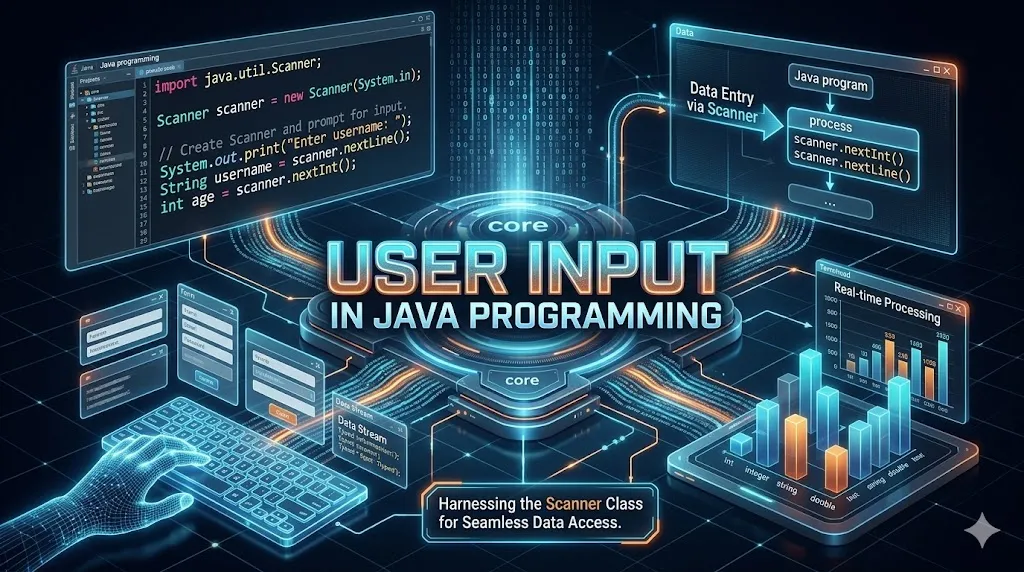
User Input in Java
User input is the bridge between a Java program and the real world. Java provides several classes such as Scanner, BufferedReader and Console to read values from the keyboard. Mastering input handling is the very first step toward building interactive command line applications.
Key Features
Scanner Class
The most common way to read user input. Located in java.util package.
BufferedReader
Fast, buffered character input from the keyboard or any Reader source.
Typed Methods
Methods like nextInt(), nextDouble(), nextLine() for typed reading.
Input Validation
Always validate input to avoid InputMismatchException at runtime.
Console Class
Use System.console() for password input with readPassword().
Performance
BufferedReader is faster than Scanner for large input streams.
Syntax
- Import the Scanner class with import java.util.Scanner;
- Create a Scanner object: Scanner sc = new Scanner(System.in);
- Use sc.nextInt(), sc.nextLine(), sc.nextDouble() to read values.
- Always close the scanner with sc.close() when done.
Common Scanner Methods
| Method | Description | Returns | Example |
|---|---|---|---|
| nextInt() | Reads an integer | int | int n = sc.nextInt(); |
| nextDouble() | Reads a decimal | double | double d = sc.nextDouble(); |
| nextLine() | Reads full line | String | String s = sc.nextLine(); |
| next() | Reads single token | String | String w = sc.next(); |
| nextBoolean() | Reads boolean | boolean | boolean b = sc.nextBoolean(); |
| nextLong() | Reads long value | long | long l = sc.nextLong(); |
Detailed Explanation & First Example
Let's start with a hands-on example. The program below shows the core idea behind User Input in just a few lines of Java. Read it line by line and observe how Java executes each statement in order.
import java.util.Scanner;

class Main
{
    public static void main(String args[])
    {
        Scanner sc = new Scanner(System.in);

        System.out.print("Enter a number: ");
        int n = sc.nextInt();

        System.out.println("You entered: " + n);

        sc.close();
    }
}
You entered: 25
Examples — Beginner to Advanced
The following examples progress from simple to more practical patterns. Try each in your IDE, change the inputs and observe the output. This is the fastest way to internalize the concept.
import java.util.Scanner;

class Main
{
    public static void main(String args[])
    {
        Scanner sc = new Scanner(System.in);

        System.out.print("Enter your name: ");
        String name = sc.nextLine();

        System.out.print("Enter your age: ");
        int age = sc.nextInt();

        System.out.println("Hello " + name + ", age " + age);
    }
}
Enter your age: 22
Hello John, age 22
import java.util.Scanner;

class Main
{
    public static void main(String args[])
    {
        Scanner sc = new Scanner(System.in);

        System.out.print("Enter first number: ");
        int a = sc.nextInt();

        System.out.print("Enter second number: ");
        int b = sc.nextInt();

        int sum = a + b;

        System.out.println("Sum = " + sum);
    }
}
Enter second number: 15
Sum = 25
import java.io.*;

class Main
{
    public static void main(String args[]) throws IOException
    {
        BufferedReader br = new BufferedReader(new InputStreamReader(System.in));

        System.out.print("Enter city: ");
        String city = br.readLine();

        System.out.println("City entered: " + city);
    }
}
City entered: Mumbai
import java.util.Scanner;

class Main
{
    public static void main(String args[])
    {
        Scanner sc = new Scanner(System.in);

        System.out.print("Enter price: ");
        double price = sc.nextDouble();

        double tax = price * 0.18;

        System.out.println("Tax = " + tax);
    }
}
Tax = 180.0
Notes & Tips
- Always call sc.nextLine() after sc.nextInt() if you plan to read a string next — to consume the newline character.
- Closing a Scanner that wraps System.in also closes System.in. Be careful in large programs.
- BufferedReader.readLine() always returns a String — convert manually with Integer.parseInt().
- Use a try-with-resources block to ensure Scanner is closed automatically.
- For password input, prefer System.console().readPassword() over Scanner.
Real-World Use Cases
CLI Applications
Command-line tools that ask the user for filenames, options or settings.
Mini Games
Console games such as Tic-Tac-Toe, number guessing, hangman.
Calculators
Read numbers and operators from the keyboard to compute results.
Data Entry
Quick scripts that load records into arrays or databases from user input.
Practice Questions
Reading is not enough — practice solidifies knowledge. Try every question below in your own editor before peeking at any solution.
- Q1. Write a program that reads two numbers and prints their product.
- Q2. Read a student's name and three marks, then print the average.
- Q3. Take a sentence as input and print its length using
length(). - Q4. Read a temperature in Celsius and convert it to Fahrenheit.
- Q5. Read 5 numbers in a loop and print the largest one.
Interview Questions
These are the most common questions asked in Java interviews on this topic. Memorize the concept, not just the answer — interviewers often follow up with edge cases.
The Scanner class from
java.util is the most common — it offers typed methods like nextInt() and nextLine().
Scanner is easier and offers typed methods; BufferedReader is faster but reads everything as String and may throw
IOException.
nextLine() sometimes skip input after nextInt()?Because
nextInt() leaves a newline character in the buffer which nextLine() immediately consumes.
Use
System.console().readPassword() which returns a char[] and does not echo characters.
Yes. Pass a
File object to its constructor: new Scanner(new File("data.txt")).
FAQ
Scanner is used to read user input from the keyboard, files, or strings. It parses primitive types and strings using regular expressions.
No, Scanner is not thread-safe. For multi-threaded input you must synchronize access manually.
BufferedReader is generally faster because it does less parsing and uses internal buffering for character data.
You can use
System.in.read() without importing, but it returns one byte at a time which is inconvenient.
InputMismatchException?It is thrown when the input does not match the expected type, e.g., entering text where
nextInt() expects an integer.
Common Mistakes to Avoid
Even experienced developers slip on the same pitfalls. Watch out for these classic mistakes while working with User Input in Java:
- Forgetting the semicolon
;at the end of statements while using User Input. - Mixing up similar method names — read Java docs before using new APIs related to User Input.
- Ignoring compiler warnings — they often hint at bugs that will appear later in production.
- Hard-coding values that should come from configuration files or environment variables.
- Not handling edge cases: empty inputs, very large inputs, negative numbers and null references.
- Skipping unit tests — small tests prevent big regressions, especially around control flow.
At-a-Glance
Best Practices
Follow Conventions
Use camelCase for variables, PascalCase for classes, UPPER_SNAKE for constants.
Write Tests
Cover happy path and edge cases with JUnit before shipping changes to production.
Keep Methods Short
A method should do one thing and fit on a single screen. Refactor when it grows.
Validate Inputs
Never trust user input. Validate at the boundary, fail fast and log meaningfully.
Comment the Why
Comments should explain why a decision was made — not what the code does line by line.
Refactor Often
Small frequent refactors are cheap and safe; big rewrites are risky and expensive.
Pro Tips
Quick Reference
| Keyword / Concept | Meaning | Used For | Java Since |
|---|---|---|---|
| User Input | User Input concept | Core Java | 1.0 |
| class | Blueprint of objects | OOP | 1.0 |
| static | Class-level member | Utilities | 1.0 |
| final | Constant / no override | Immutability | 1.0 |
| public | Accessible everywhere | API exposure | 1.0 |
| private | Class-only access | Encapsulation | 1.0 |
Related Topics
java.util, java.lang and java.io.
Summary
Java provides multiple ways to take user input — Scanner is the most beginner friendly, BufferedReader is faster, and Console is ideal for secure password input. Always validate input and close your input streams. Practice with small programs like calculators and games to build confidence.